WorkBench Installation
This chapter describes the installation of the WorkBench software for MKD-C and MKD-N drives.
Kollmorgen offers training and familiarization courses on request.
Use as directed
WorkBench is intended to be used for altering and saving the operating parameters for the MKD and AKD series of products. The attached devices can be set up with the help of this software, and during this procedure the drive system can be controlled directly by the service functions.
Only professional personnel who have the relevant expertise Specialist staff required! are permitted to carry out online parameter setting for a drive that is running. Sets of data that have been stored on data media are not safe against unintended alteration by other persons. Unexpected move could be the result if you use unchecked data. After loading a set of data you must therefore always check all parameters before enabling the drive.
Software description
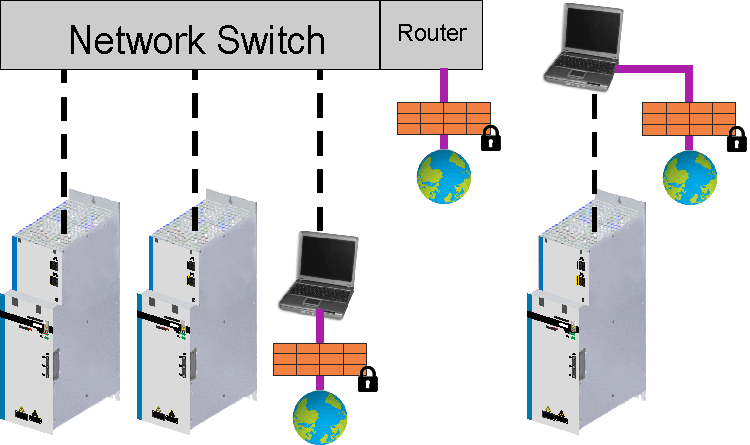
Each device must be adapted to the requirements of your machine. For most applications, you can use a PC and WorkBench (the software to set up your drive) to set up the operating conditions and parameters. The PC is connected to the MKD-C by an Ethernet cable Service Interface (X18). WorkBench establishes the communication between the PC and every MKD-N or MKD-N drive connected to this MKD-C. You can find the WorkBench software in the download area of the Kollmorgen website.
|
|
With WorkBench every drive that is connected to the same MKD-C as the PC is visible and controllable. |

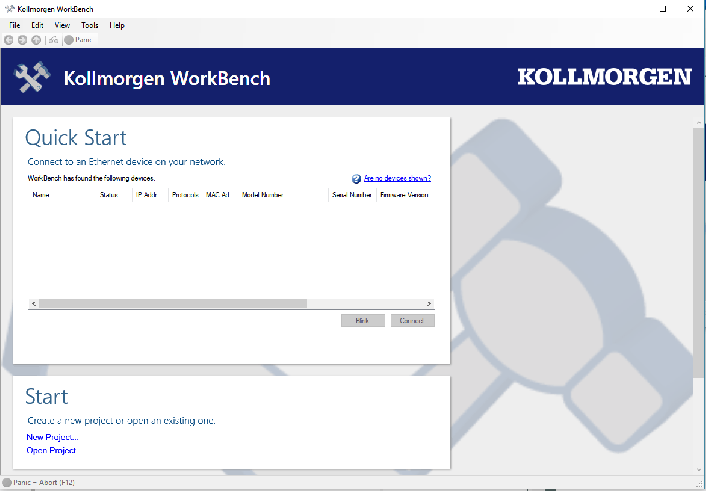
You can select a drive out of the list, alter parameters, and instantly observe the effect on the drive, since there is a continuous (online) connection to the drive. You can also read important actual values from the selected drive, which are displayed on the monitor of the PC (oscilloscope functions).
You can save sets of data on data media (archiving) and load them them into other MKD-C or use them for backup. You can also print out the data sets.
Most standard feedbacks (SFD, EnDAT, and BiSS) are plug and play compatible. Motor nameplate data is stored in the feedback device and read by the drive automatically at startup. Non-plug and play Kollmorgen motors are stored in WorkBench and can be loaded with one-click using the Motor screen in the WorkBench software.
An extensive online help with integrated description of all variables and functions supports you in each situation.
Hardware requirements
The Service interface (X18, RJ45) is connected to the Ethernet interface of the PC by an Ethernet cable Service Interface (X18).
Minimum requirements for the PC:
| Processor | min. 2 GHz |
| Operating system | Windows |
| Graphics adapter | Windows compatible, color |
| RAM | 4 GB |
| Data drives | hard disk with min. 2 GB free space |
| Interface | one free Ethernet interface or a Switch port, 100 Mbit/s |
Operating systems
Windows 7/8/10/11
- WorkBench works with Windows 7, 8, 10 and 11
- .Net framework 4.8.1 or higher is required
- Visual C++ Redistributable (2010, 2013, 2015)
- Internet Explorer 10 or higher
Unix, Linux
The software does not run on Unix/Linux.
Installation under Windows
Use WorkBench to setup your drive. You can download the latest version from the Kollmorgen website: www.kollmorgen.com.
Installation
Download the installation package and follow the instructions.
Connection to the Ethernet interface of the PC
- Connect the interface cable to an Ethernet interface on your PC or to a Switch and to the service interface X18 of the MKD-C Service Interface (X18).